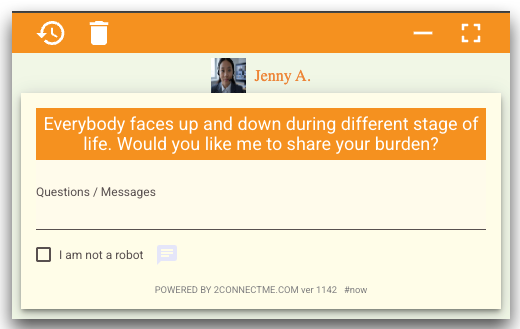
Advisor Registration and 1st time logon Settings
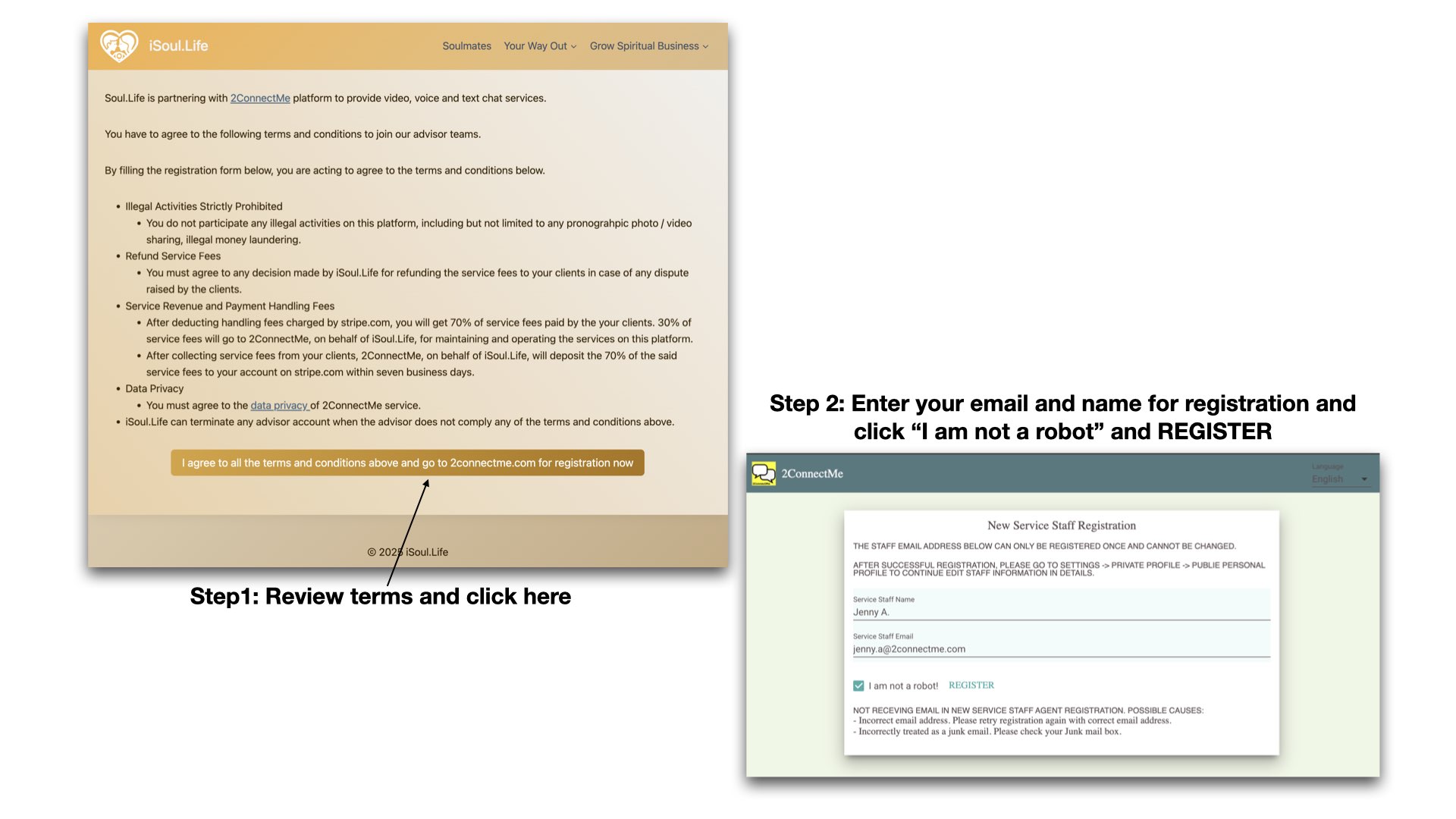
Stage A: Agree to the Terms and Conditions and enter your email for advisor registration
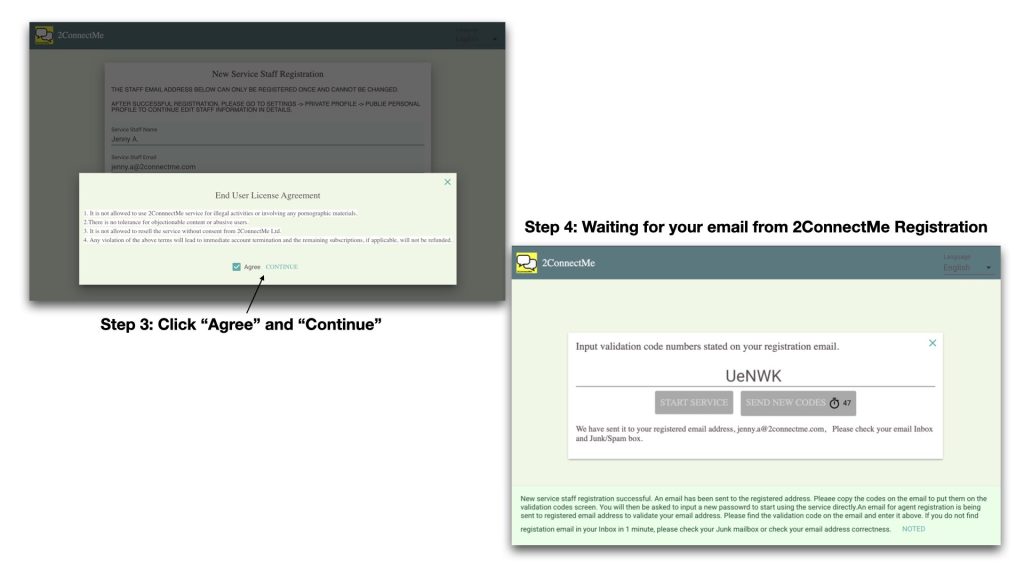
Stage B: Agree to the Terms and Conditions of 2ConnectMe and Waiting for incoming email telling validation code.
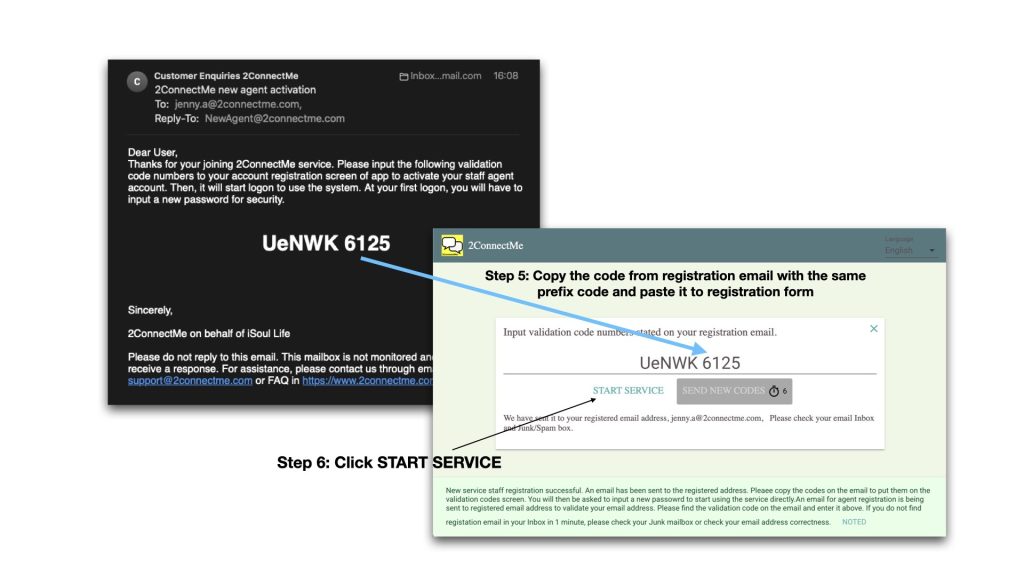
Stage C: Copy and paste the code from registration email
Stage D: Setup logon password to go to Service Agent Staff app
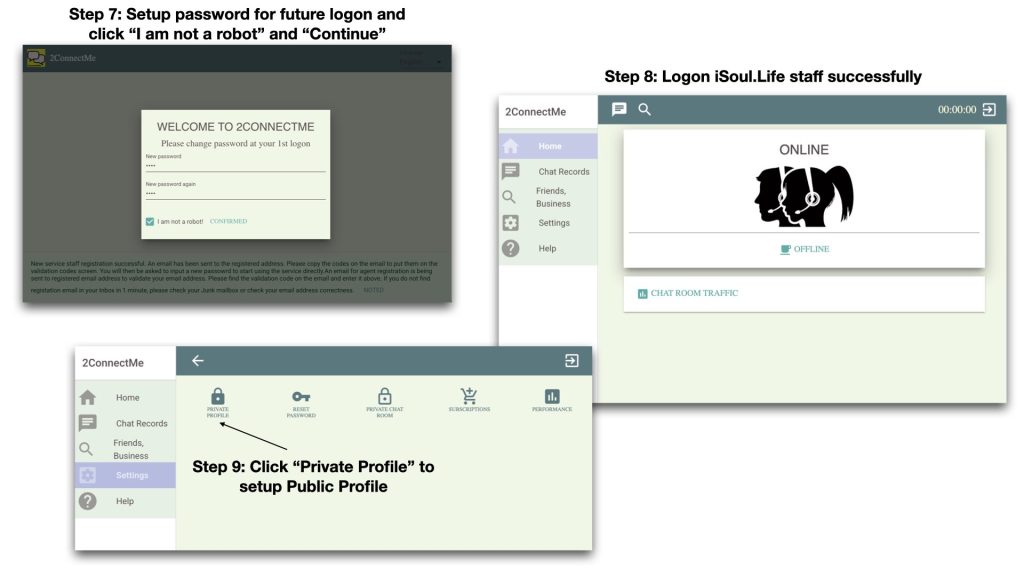
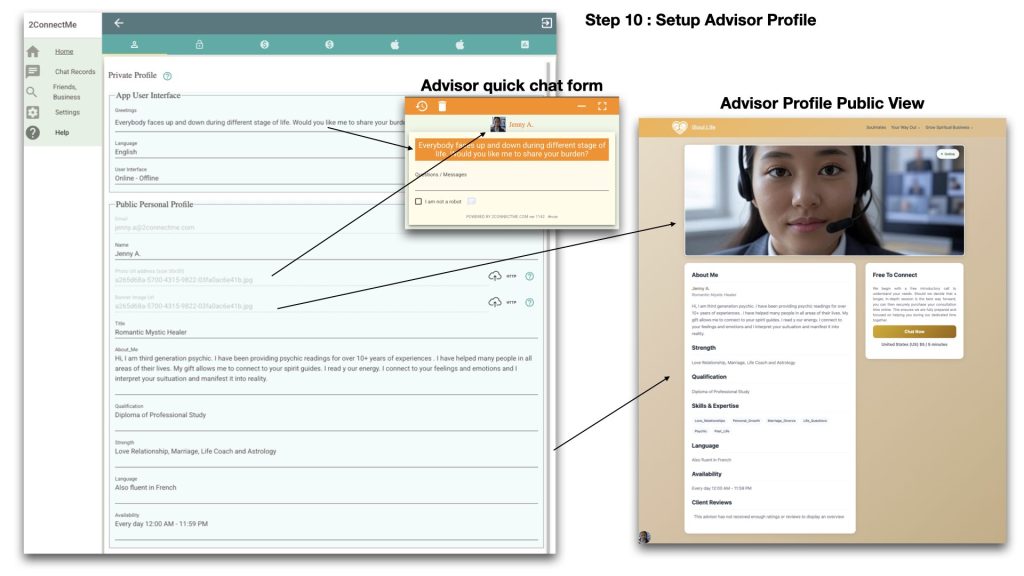
Stage E: Setup App Settings and Service Agent Staff Public Profile
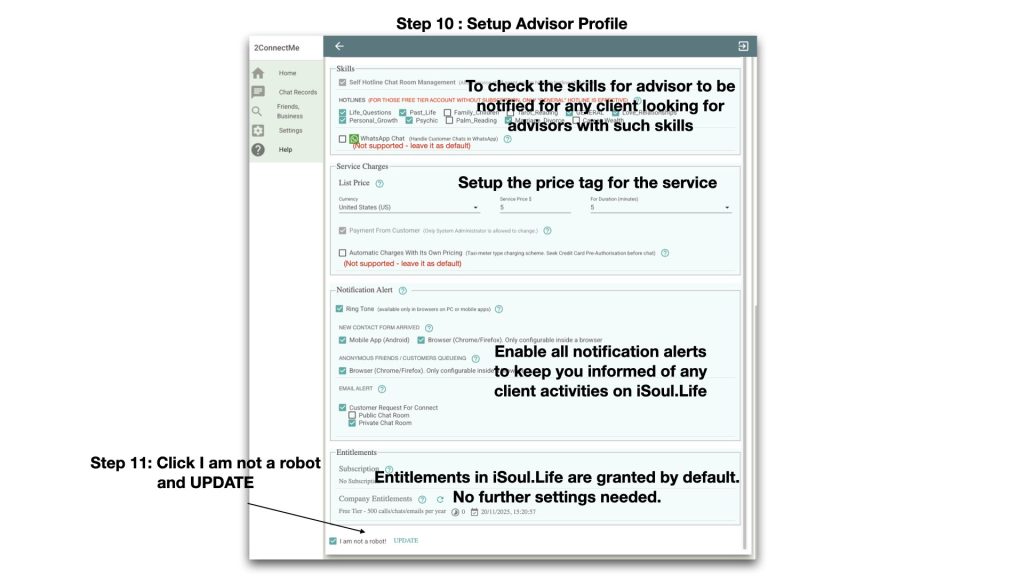
Stage F: Setup Notification Alerts and Click UPDATE to save
Stage G: Check Your Public Profile View
Go to https://www.isoul.life -> Soulmate to find your profile overview as below
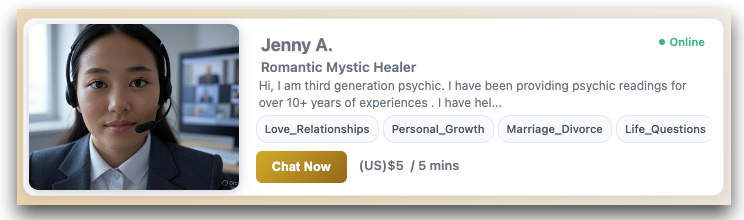
Stage H: Click on Profile Brief to go to Detail view below.
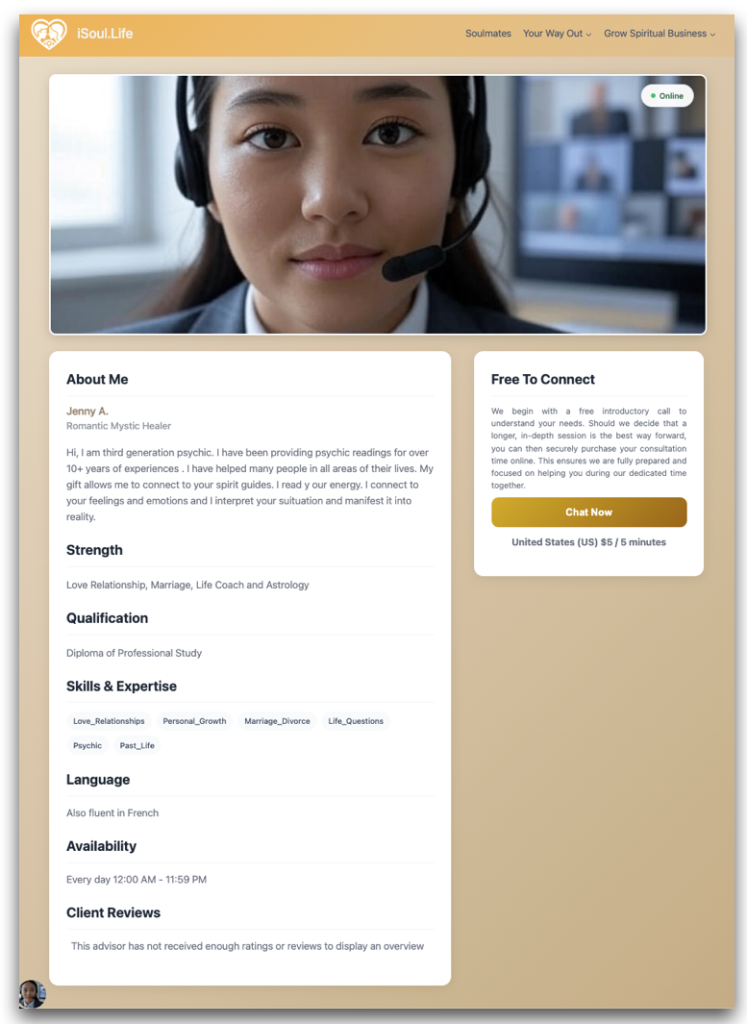
Stage I: The “Chat Now” button is clicked, the contact form below for client to reach you.